Made for anyone who decorates garments
Home embroiderers
Stitch your own designs without paying a digitiser or spending months learning the craft. Upload, press play, sew.
Embroidery businesses
Quote faster and win more jobs. Show the customer their logo on the polo, get the proof signed, and hand the operator a worksheet.
Print shops
Mock up screen print, DTF and vinyl on real garments too. One tool for every order, stitched or printed.
From logo to finished file in three steps
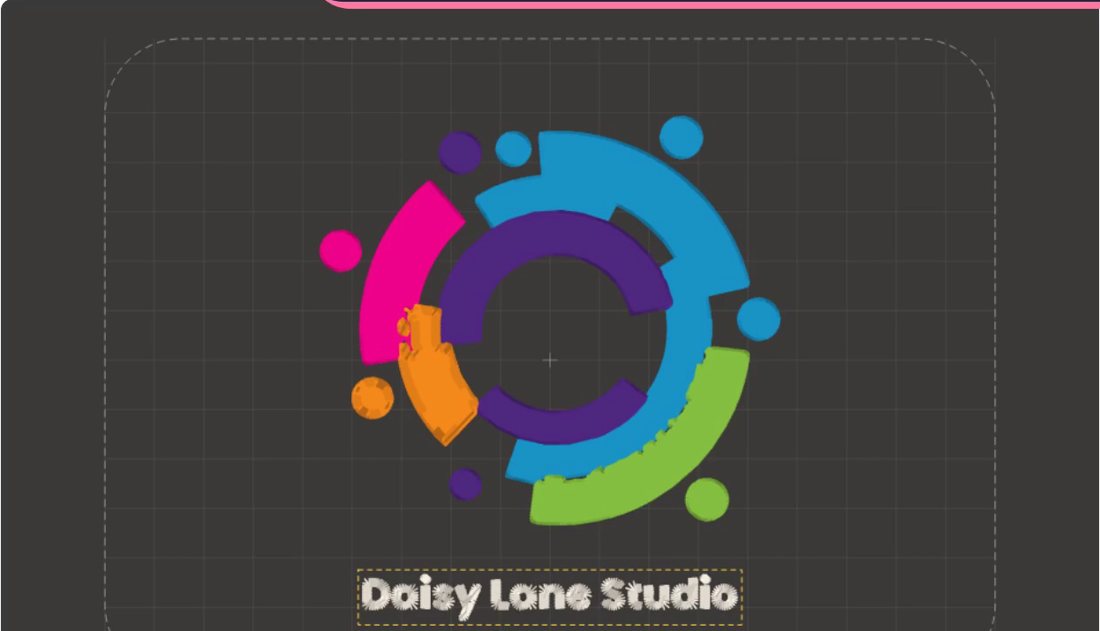
The design stitching in the hoop at the top was made in Hoopsy from a line of text and a heart. Yours is just as quick.
Upload
Add a logo, drawing or clip art, or type a name. Hoopsy finds every colour and cleans up rough edges, even on low-resolution images.
Preview
Press play and watch it sew stitch by stitch. Try it on a T-shirt, polo, sweatshirt, cap or apron in any colour.
Sew
Download the file for your machine, print the worksheet and stitch. Run a test piece first, as you would with any new design.
Digitising, done for you
Skip the hours of stitch-by-stitch work. Hoopsy reads the shapes in your artwork and makes the calls a professional digitiser would.
- Satin for lettering and borders, tatami fill for big areas, run stitch for fine lines.
- Satin that turns smoothly through curves and corners, like hand digitising.
- Colours layered and overlapped so the fabric never shows through the gaps.
- Underlay and pull compensation set for woven, knit or fleece.
- Built-in checks catch anything too dense, too small or too big for the hoop.
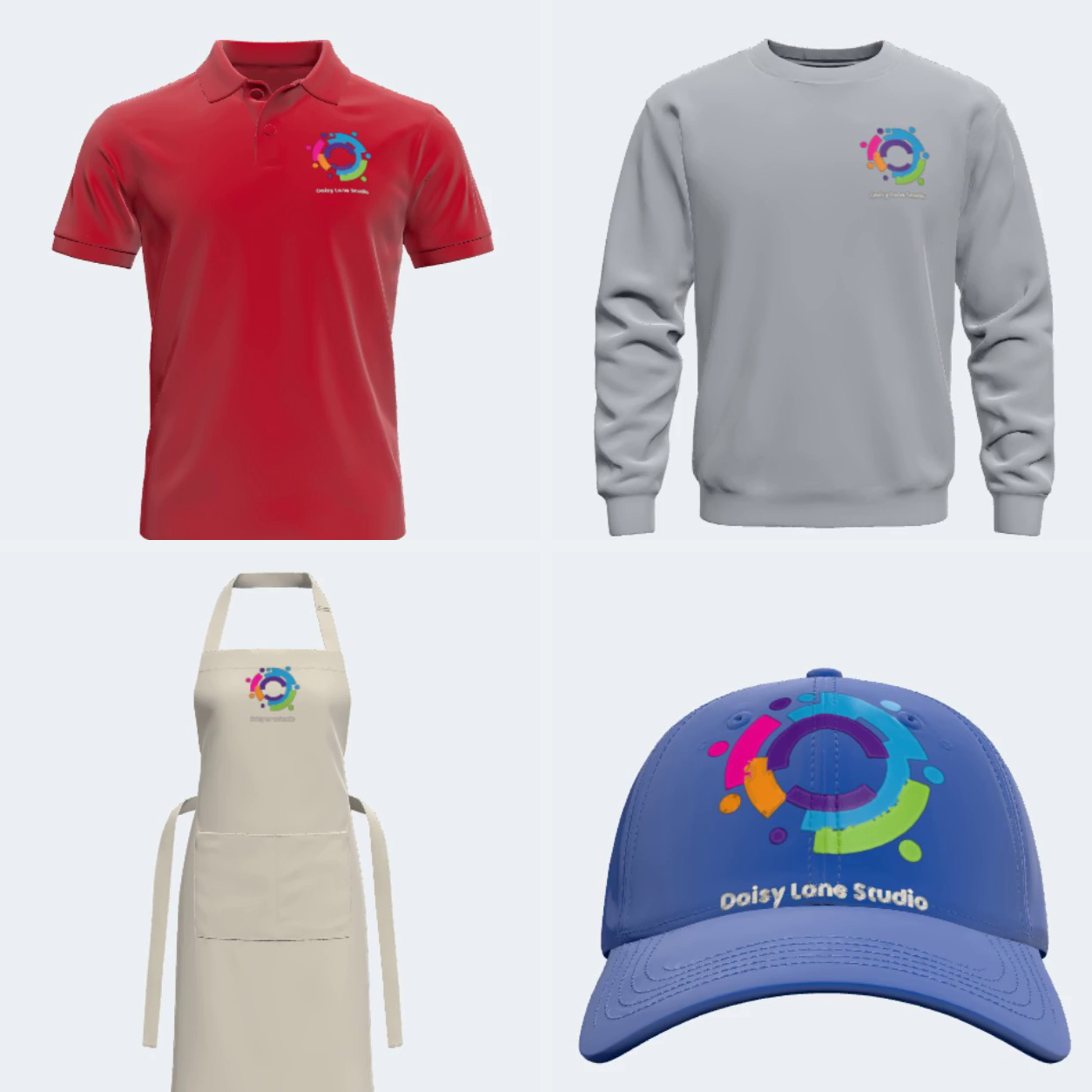
Sell it before you sew it
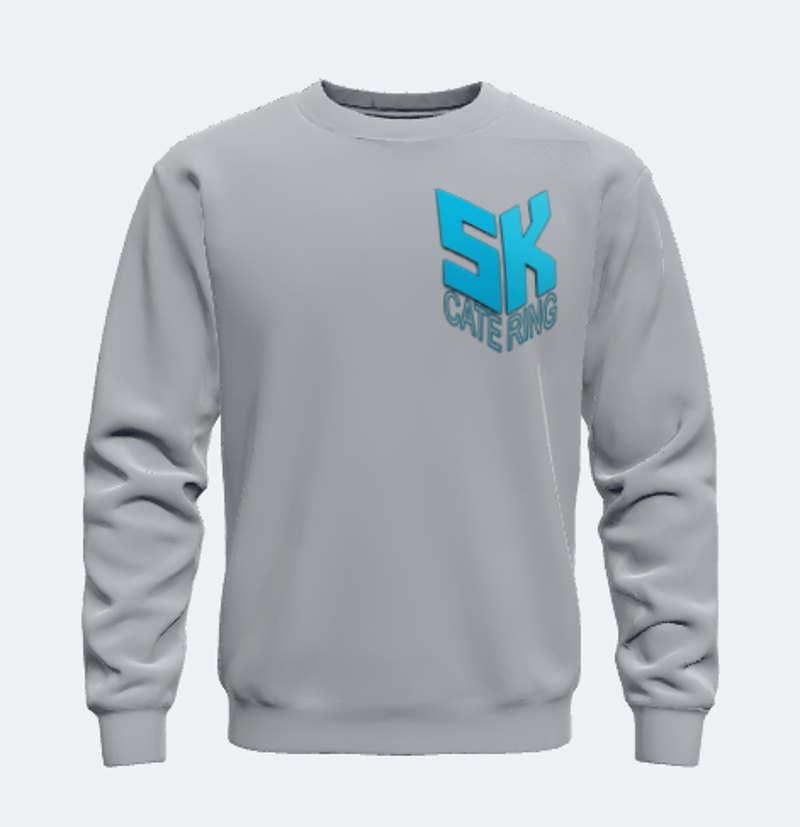
Customers say yes faster when they can see it. Put the design on a real garment at true size and spin it round in 3D.
- Seven garments built in: T-shirt, polo, sweatshirt, zip jacket, apron, cap and beanie.
- 16 fabric colours plus any colour you like.
- One-tap positions: left chest, back neck, sleeve, cap front and more.
- The design wraps over seams and curves as you drag it.
- Bring your own 3D garment models.
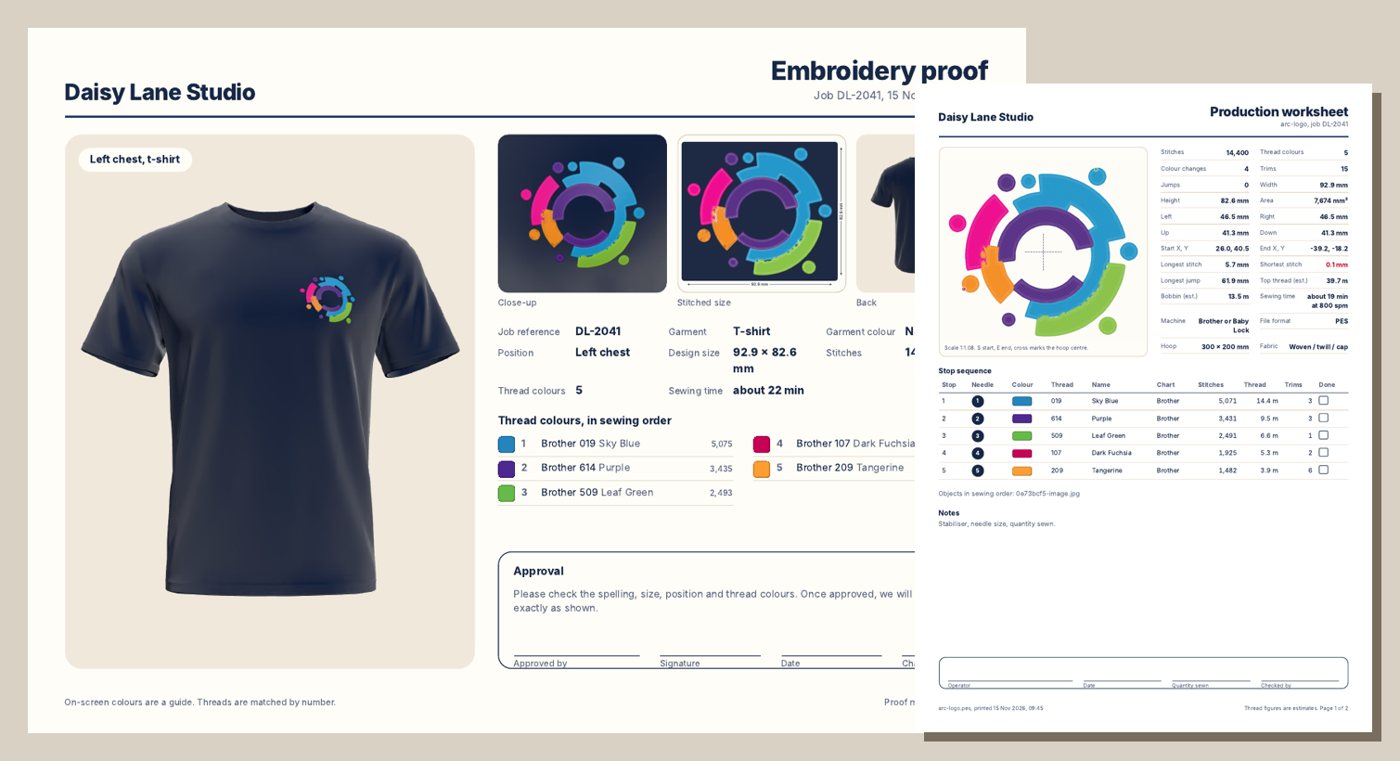
Get the yes in writing
Send a professional proof with your logo on it, then give your machine operator everything they need to get it right first time.
- Approval sheet: mockup, close-up, measured size, other garment colours and a signature line.
- Production worksheet: stop sequence, needle numbers, thread codes, stitch counts, trims and thread use.
- Thread numbers for Brother, Madeira Polyneon, Madeira Rayon and Isacord.
- Actual-size print with a check bar, so you can hold it up to the garment.
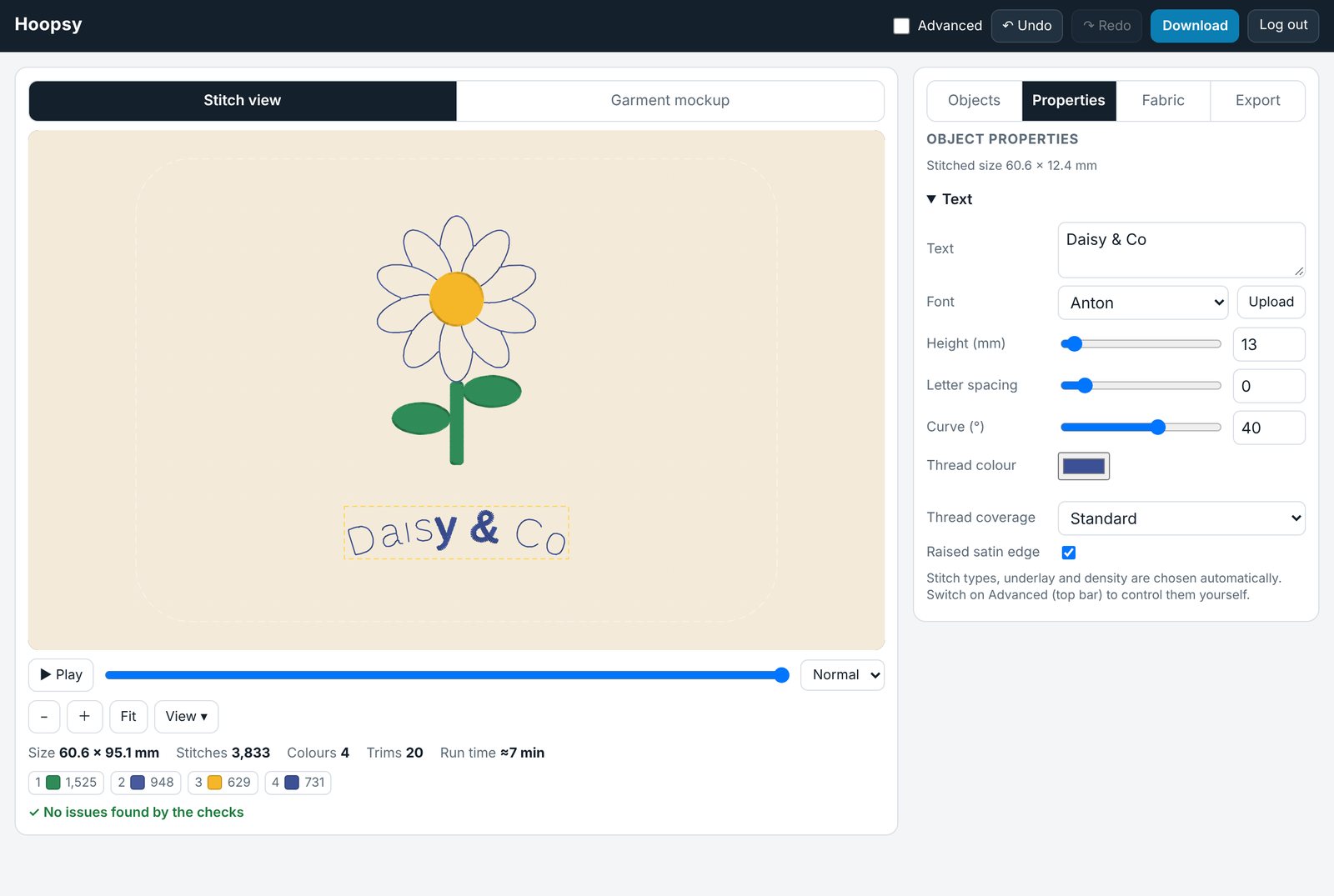
Lettering that looks the part
Names, slogans and monograms are where most jobs start. Hoopsy makes them quick and keeps them crisp.
- More than 20 fonts, or upload your own.
- Small Block, a stitch font built for lettering just 4 to 10 mm tall.
- Ready-made name and monogram layouts: curved names, initials in a ring and more.
- Text on a curve, appliqué edges and hand-drawn satin lines.
Not just for embroidery
Switch to print mode and mock up any flat artwork on the same garments. Ideal for screen print, DTF, vinyl and sublimation.
- Drop in a PNG, JPG, WebP or SVG and set the print width.
- Backgrounds removed automatically, light or dark.
- A print proof with the print size, ready to send.
Easy on day one, powerful on day 100
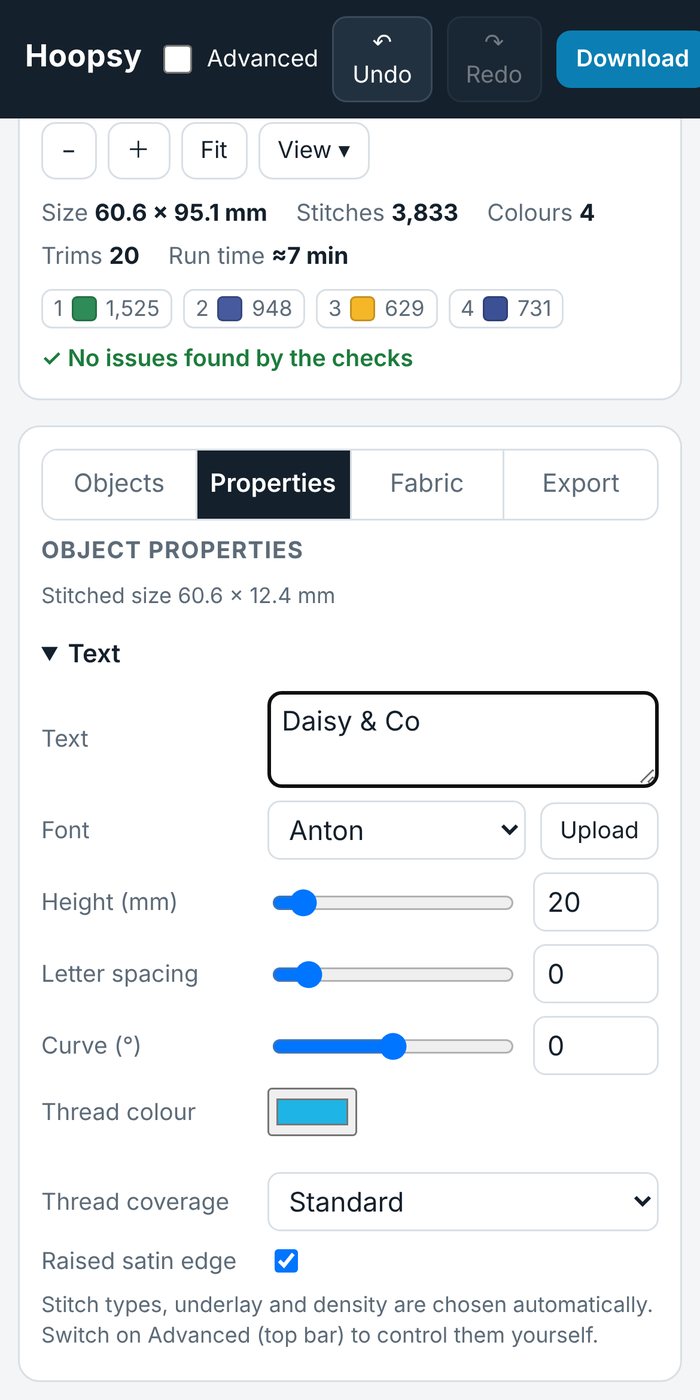
Basic mode shows only what a beginner needs. Flip to Advanced and you have the controls you'd expect from desktop digitising software.
- Basic: size, colours, font, fabric and thread coverage.
- Advanced: stitch type, angle, density, underlay, satin borders and trims for every colour.
- Drag outline points to reshape a design, then stitch it again.
- Nothing to install. Works on a computer, tablet or phone.
Everything in one studio
One login. Nothing to install. Your artwork never leaves your computer.
- Smart image clean-upRepairs low-resolution logos and fits true lines and arcs before tracing, for crisp, clean edges.
- Stitch-out playerWatch every stitch go down, pause and scrub to check the order.
- Layered coloursBackground colours sew first and run under the details, so nothing gaps.
- Small text fontReadable lettering down to 4 mm, where traced fonts fall apart.
- 3D garment mockupsSeven garments, any colour, true size, one-tap positions.
- Approval sheetsYour logo, the mockup, sizes and colourways on one page for the customer to sign.
- Production worksheetsStop sequence, needles, thread codes, stitch counts and an actual-size print.
- Thread chartsBrother, Madeira Polyneon, Madeira Rayon and Isacord numbers.
- AppliquéPlacement line, tack-down and satin edge, with stops in the right places.
- Draw by handTap out satin columns, run lines and bold triple runs wherever you need them.
- Print modeMock up flat artwork for print jobs on the same garments.
- Fabric presetsDensity and underlay tuned for woven, knit or fleece.
- Hoop checkBrother PR frames and popular hoop sizes, with a warning before you go over.
- Saved projectsUndo, redo and pick up exactly where you left off.
Files your machine can read
Choose your machine and Hoopsy picks the right format for you.
| Format | Machines | Good to know |
|---|---|---|
| PES | Brother and Baby Lock, including the Brother PR multi-needle range | Keeps your thread colours, matched to Brother threads. |
| DST | Tajima and most commercial machines, including Ricoma, SWF, Barudan, Happy and ZSK. Brother PR machines read it too. | The format almost every machine accepts. Colours are set at the machine. |
| JEF | Janome and Elna | Keeps your thread colours, matched to Janome threads. |
| EXP | Melco and Bernina | Colours are set at the machine. |
Check your machine's manual for the formats it reads. Not listed? DST is the one most machines accept.
Hoop sizes built in
- Brother PR 60 × 40 mm
- Brother PR 100 × 100 mm
- Brother PR 180 × 130 mm
- Brother PR 300 × 200 mm
- Brother PR 360 × 200 mm
- 4 × 4 in
- 5 × 7 in
- 6 × 10 in
- 8 × 8 in
- 8 × 12 in
Questions people ask first
Straight answers, including what Hoopsy isn't.
Will it work with my machine?
Almost certainly. Hoopsy saves PES, DST, JEF and EXP, which cover Brother, Baby Lock, Janome, Elna, Bernina, Melco, Tajima and most commercial machines. Check your manual to be sure.
What artwork works best?
Logos, lettering, clip art and drawings with clear shapes and flat colours. Smart clean-up rescues most low-resolution logos. Photographs and very fine detail are still a job for a hand digitiser.
I only do print. Is it for me?
Yes. Print mode puts any flat artwork on the built-in garments and gives you a print proof to send, with no digitising involved.
Is it as good as a professional digitiser?
For logos and lettering it gets you a clean, sewable file in minutes instead of days. A skilled digitiser will still beat it on complex artwork. Always sew a test piece on scrap fabric first.
Do I need to install anything?
No. Hoopsy runs in your web browser on a computer, tablet or phone. Log in and start.
Is my artwork private?
Yes. Designs are worked out in your browser, so your customers' logos are never uploaded to us.
How do I get a login?
Accounts are set up for you. Ask the person who told you about Hoopsy for your email and password.